Blog

  • How to create Google Review QR code for business

    How to create Google Review QR code for business

    Overview

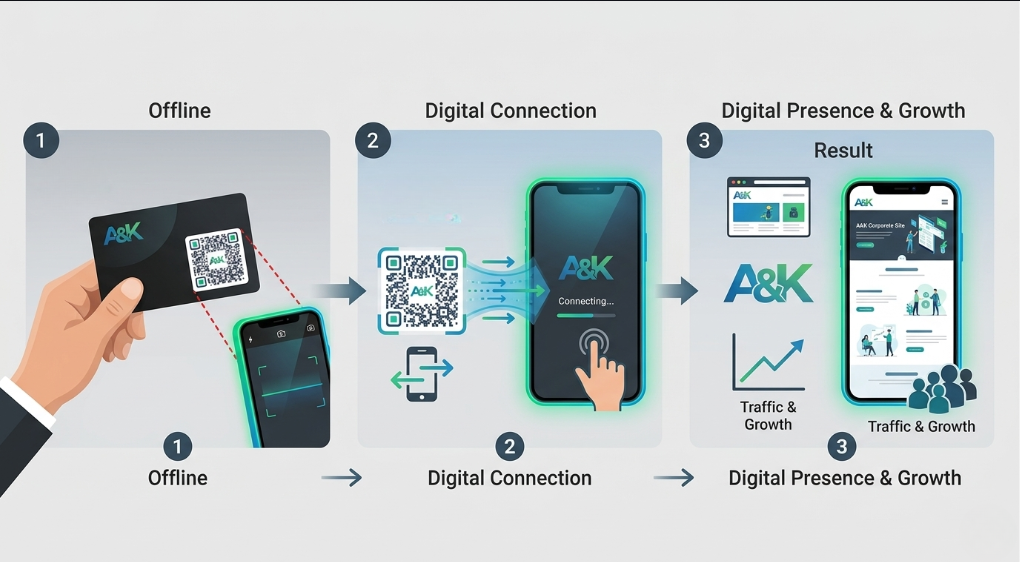
    In the modern business world speed is your primary advantage. If a client sees your flyer you have seconds to connect. The biggest obstacle to growth is digital friction. Manual searches for your review page often lead to lost stars. To solve this you should create a Google Review QR code for your brand. These assets act as an instant gateway to your feedback page. They move customers from the physical world into a digital testimonial. This transition happens in a single second with one scan.

    What Exactly is a Google Review QR Code

    A Google Review QR code is a scannable link for your business profile. It bridges the gap between offline service and digital reputation. Scanning the code opens the review submission page on any smartphone. It eliminates the need for manual business searching or navigating complex maps. This tool turns happy customers into vocal advocates instantly. It makes sharing a positive experience effortless for everyone. No more asking clients to search for your name. Your customers can leave a five-star rating with a single tap.

    Why Your Business Needs to Create Google Review QR

    Consider why this tool is vital for service-based businesses globally. It offers several key advantages for modern marketing strategies.

    Instant Social Proof after Create Google Review QR

    Online reviews are famous for building professional and lasting trust. To simplify this you must create a Google Review QR code today. A QR code allows customers to share their feedback immediately. This level of accessibility builds deep trust with new clients. They see that your brand is highly rated and active.

    Zero Search Friction after Create Google Review QR

    Customers do not need to hunt for your specific location online. They scan the code and the review box appears instantly. This removes every barrier between the customer and your profile. High friction always leads to a lower number of reviews.

    Professional Brand Image

    Using QR codes shows your business is modern and tech-savvy. It signals to clients that you value their opinion. Professionalism is often judged by how easily you accept feedback.

    Better Local SEO Ranking

    Google rewards businesses that receive frequent and fresh reviews. You can track which locations drive the most feedback. This data helps you optimize your customer service efforts. You stop guessing which team provides the best experience.

    How to create Google Review QR

    The process is quick and efficient for your marketing touchpoints. Follow these steps to generate your professional code now:

    1. Access the Generator Log in to your ScanMyQR dashboard right away. Navigate to the create QR section in the menu.
    2. Select Content Type Choose the Rating or Link icon from the selection menu. This opens specialized fields for your Google Map link.
    3. Find Your Review Link Get your unique review URL from your Google Business Profile. Ensure the link leads directly to the “write a review” window.
    4. Assign a Name Give it a custom name like “Front Desk Review.” This helps you track which scan point is performing best.
    5. Generate and Customize Click the purple generate QR code button now. You can then download your high-resolution image file. It is now ready for high-quality printing.

    Where to Place Your QR Code

    Place your codes where your customers naturally feel satisfied. Strategic placement ensures a much higher rate of engagement.

    Receipts and Invoices

    Do not just thank your customer on the bill. Add a QR code that links to your review page. This allows clients to rate their experience while paying.

    Table Tents

    In restaurants a code allows guests to rate the meal. They can leave a review while waiting for the check. This replaces the need for verbal reminders.

    Exit Signage

    Place a code on your main exit doors. Link it to a Google page for a final goodbye. This provides immediate value before they leave your site.

    Shipping Boxes

    Include a QR code on your physical product packaging. Encourage buyers to scan and share their unboxing experience. This moves them into your digital community quickly.

    Building Trust Through Verbal Clarity

    A scan is just the start of the journey. The quality of your service closes the deal. Customers scan your code looking to reward your hard work.

    Using professional feedback tools shows you are a reliable partner. It provides a public record of your business quality. This transparency builds a layer of long-term reliability. It turns a simple scan into a loyal relationship.

    create Google Review QR

    Strategic Content for Global Engagement

    When you create a Google Review QR code you open a door. For service providers the key to conversion is reputation.

    Imagine a dentist using a professional QR code. The code leads to the review page in the lobby. Patients share their positive experience before they even leave. This immediate value positions the practice as a leader.

    A landscaping company could use a code on yard signs. This code could show the neighborhood your high rating. Seeing social proof is a powerful trigger for sales. It makes people choose your service over any competitor. You are providing the path of least resistance.

    3 Golden Rules to create Google Review QR Success

    To ensure your codes work perfectly follow these rules.

    1. Always Use a Call to Action A code without instructions is just a mystery box. Tell users exactly why they should scan it today. Use phrases like Scan to rate our service.
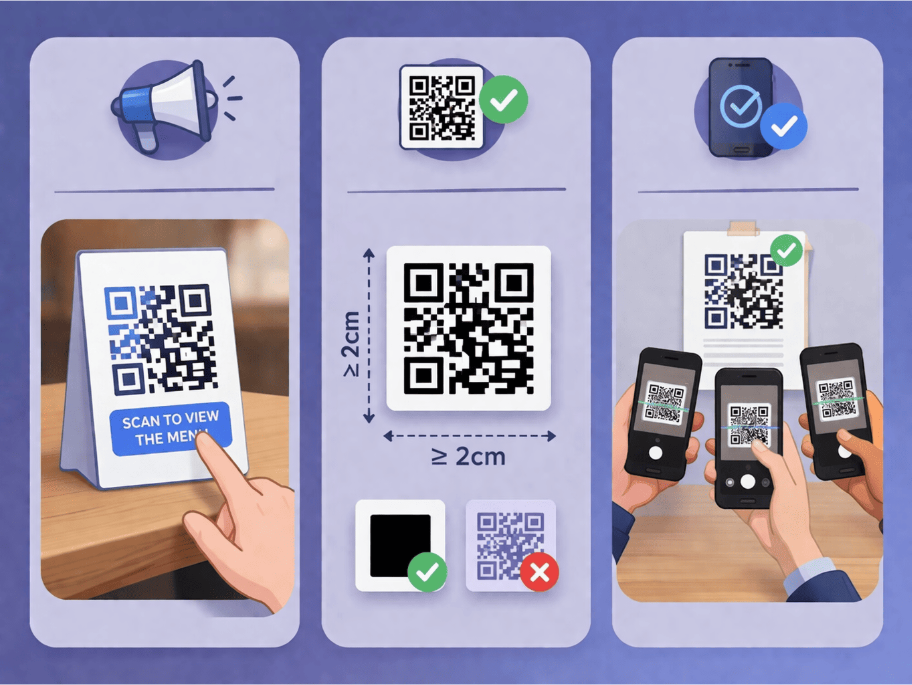
    2. Prioritize Size and Contrast If the code is too small cameras cannot focus. Keep it at least 2cm wide on small items. Use high-contrast designs like black on white.
    3. The Pre-Flight Test Never skip this vital final step before printing. Always scan the code yourself using multiple different phones. Ensure it opens the review page perfectly every time.

    Troubleshooting Common Scan Issues

    Technical hiccups can occur even with the best tools. One common issue is an expired profile link. If the business page moves the code fails. Professional management tools allow you to update the destination. You can update the link without re-printing materials.

    Another common issue is poor physical placement. Avoid placing codes behind highly reflective glass surfaces. Dimly lit areas also make scanning very difficult. Ensure your codes are placed in well-lit areas. If placed on a window make the code large. This ensures it is captured by pedestrians easily.

    Data-Driven Decisions for Growth

    Using QR codes allows you to gather vital intelligence. You can see the time and date of every scan. This helps you identify when your customers are happiest. You can then focus your staff on those peak hours. Data takes the guesswork out of your reputation management. It empowers you to grow with total confidence.

    Enhance Your Networking Game

    Stop asking for reviews via long email chains. Put a QR code on your phone screen. Let happy clients scan it during your final meeting. This creates an immediate digital connection on their device. They will leave their praise while they are excited. Networking becomes faster and much more effective this way. It shows you are ahead of the digital curve.

    Ready to Supercharge Your Business Growth

    In a competitive market you cannot afford digital friction. Removing barriers to feedback makes it easy to trust you.

    A professional Google Review QR code is more than a convenience. It shows your business is modern and responsive. Integrating these codes turns customers into marketing engines. Every sign becomes a 24/7 advocate for your growth.

    If you’re looking for more ways to connect with customers using QR codes, check out our detailed guide on How to Create a X QR Code for Business. It covers everything you need to know about setting up a X QR Code to let customers reach you instantly with just a scan.
  • How to create a PPTX to QR code for your business

    How to create a PPTX to QR code for your business

    Overview

    In the modern business world speed is your greatest advantage. If a client sees your flyer you have seconds to connect. The biggest obstacle to growth is digital friction. Manual searches for files often lead to lost customers. To solve this you should create a PPTX to QR code for your brand. These assets act as an instant gateway to your pitch deck. They move customers from the physical world into a digital presentation. This transition happens in a single second with one scan.

    What Exactly is a PPTX QR Code

    A PPTX QR code is a scannable link for your business documents. It bridges the gap between offline ads and digital slides. Scanning the code opens the presentation file on any smartphone. It eliminates the need for manual file searching or emailing attachments. This tool turns casual observers into high-intent leads instantly. It makes viewing your business proposal effortless for everyone. No more fumbling with USB drives or long download links. Your customers can access your expertise with a single tap.

    Why Your Business Needs to Create a PPTX to QR Code

    Consider why this tool is vital for service-based businesses globally. It offers several key advantages for modern marketing strategies.

    create a PPTX to QR code

    Instant Portfolio Access

    Presentations are famous for professional and detailed storytelling. To simplify this you must create a PPTX to QR code today. A QR code allows customers to view your work immediately. This level of accessibility builds deep trust with new clients. They feel your brand is prepared and professional.

    Zero Sharing Friction

    Customers do not need to wait for a follow-up email. They scan the code and the slides appear instantly. This removes every barrier between the lead and your information. High friction always leads to a lower conversion rate.

    Professional Brand Image

    Using QR codes shows your business is modern and tech-savvy. It signals to clients that you value their time. Professionalism is often judged by how easily you share data.

    Better Campaign Tracking

    Professional generators allow you to track every single scan. You can see which posters drive the most views. This data helps you optimize your future marketing budget. You stop wasting money on ads that do not work.

    How to Create a QR for PowerPoint

    The process is quick and efficient for your marketing touchpoints. Follow these steps to generate your professional code now:

    1. Access the Generator Log in to your ScanMyQR dashboard right away. Navigate to the create QR section in the menu.
    2. Select Content Type Choose the Document icon from the selection menu. This opens specialized fields for your file uploads.
    3. Upload Your PPTX Select your presentation file from your local computer. Ensure the file size is optimized for fast mobile loading.
    4. Assign a Name Give it a custom name like “Q1 Sales Deck.” This helps you track which campaign is performing best.
    5. Generate and Customize Click the purple generate QR code button now. You can then download your high-resolution image file. It is now ready for high-quality printing.

    Where to Place Your QR Code

    Place your codes where your customers naturally need information. Strategic placement ensures a much higher rate of engagement.

    Business Cards

    Do not just list your website on your card. Add a QR code that links to your digital portfolio. This allows prospects to see your best work instantly.

    Conference Banners

    At trade shows a code allows attendees to follow along. They can download your slides while you are speaking. This replaces the need for expensive paper handouts.

    Real Estate Signage

    Place a code on your property listing signs. Link it to a PPTX showing floor plans and details. This provides immediate value to people passing by.

    Direct Mailers

    Include a QR code on your physical mail flyers. Encourage readers to scan for a deep-dive presentation. This moves them further down the sales funnel quickly.

    Building Trust Through Visual Clarity

    A scan is just the start of the journey. The quality of your presentation closes the deal. Customers scan your code looking for expert insights.

    Using professional slides shows you are a reliable partner. It provides a structured record of your business value. This transparency builds a layer of long-term reliability. It turns a simple scan into a loyal relationship.

    Strategic Content for Global Engagement

    When you create a PPTX to QR code you open a door. For service providers the key to conversion is education.

    Imagine a consultant using a professional QR code. The code leads to a strategy deck during a meeting. Prospects receive the information before the meeting even ends. This immediate value positions the business as a leader.

    A construction company could use a code on site boards. This code could show the finished project vision. Visualizing the end result is a powerful trigger for sales. It makes people choose your service over any competitor. You are providing the path of least resistance.

    3 Golden Rules for QR Code Success

    To ensure your codes work perfectly follow these rules.

    1. Always Use a Call to Action A code without instructions is just a mystery box. Tell users exactly why they should scan it today. Use phrases like Scan for our full catalog.
    2. Prioritize Size and Contrast If the code is too small cameras cannot focus. Keep it at least 2cm wide on small items. Use high-contrast designs like black on white.
    3. The Pre-Flight Test Never skip this vital final step before printing. Always scan the code yourself using multiple different phones. Ensure it opens the presentation perfectly every time.

    Troubleshooting Common Scan Issues

    Technical hiccups can occur even with the best tools. One common issue is a broken file link. If the file is deleted the code fails. Professional management tools allow you to update the destination. You can replace the file without re-printing materials.

    Another common issue is poor physical placement. Avoid placing codes behind highly reflective glass surfaces. Dimly lit areas also make scanning very difficult. Ensure your codes are placed in well-lit areas. If placed on a banner make the code large. This ensures it is captured from a distance easily.

    Data-Driven Decisions for Growth

    Using QR codes allows you to gather vital intelligence. You can see the geographic location of every scan. This helps you identify where your audience lives. You can then focus your efforts on those areas. Data takes the guesswork out of your local marketing. It empowers you to grow with total confidence.

    Enhance Your Networking Game

    Stop carrying heavy piles of printed brochures. Put a QR code on your phone screen. Let prospects scan it to view your presentation. This creates an immediate digital connection on their device. They will have your expertise saved forever. Networking becomes faster and much more effective this way. It shows you are ahead of the digital curve.

    Ready to Supercharge Your Business Growth

    In a competitive market you cannot afford digital friction. Removing barriers to information makes it easy to hire you.

    A professional PPTX QR code is more than a convenience. It shows your business is modern and responsive. Integrating these codes turns flyers into educational tools. Every sign becomes a 24/7 pitch for your growth.

  • How to create phone number to QR code for business

    How to create phone number to QR code for business

    Overview

    In the modern world speed is your primary advantage. If a client sees your flyer you have seconds to connect. The biggest obstacle to growth is digital friction. Manual dialing often leads to many lost customers. To solve this you should create, phone number to QR code assets for your brand. These assets act as an instant gateway to your phone. They move customers from the physical world into a call. This transition happens in a single second with one scan.

    What Exactly is phone number to QR code

    A phone QR code is a scannable link for your company. It bridges the gap between offline ads and direct calls. Scanning the code opens the dialer app on any smartphone. It pre-fills your business number automatically for the user. This tool turns casual observers into high intent leads instantly. It makes the first point of contact effortless for everyone. No more mistyping long numbers or confusing country codes. Your customers can reach your team with a single tap.

    Why Your Business Needs to Create Phone Number to QR Code

    Consider why this tool is vital for service based businesses globally. It offers several key advantages for modern marketing strategies.

    Instant Customer Calls

    Phone calls are famous for fast and personal communication. To simplify this you must create phone number to QR code today. A QR code allows customers to call your team immediately. This level of accessibility builds deep trust with new clients. They feel your brand is ready to talk now.

    Zero Dialing Friction

    Customers do not need to remember your contact digits. They scan the code and the dialer screen appears. This removes every barrier between the lead and your team. High friction always leads to a lower conversion rate.

    Professional Brand Image

    Using QR codes shows your business is modern and tech-savvy. It signals to clients that you value their time. Professionalism is often judged by the ease of calling.

    Better Campaign Tracking

    Professional generators allow you to track every single scan. You can see which flyers drive the most calls. This data helps you optimize your future marketing budget. You stop wasting money on ads that do not work.

    How to Create phone number to QR code

    The process is quick and efficient for your marketing touchpoints. Follow these steps to generate your professional code now:

    1. Access the Generator Log in to your ScanMyQR dashboard right away. Navigate to the create QR section in the menu.
    2. Select Content Type Choose the Phone icon from the selection menu. This opens specialized fields for your contact details.
    3. Enter Your Details Input your primary business phone number very carefully. Include the correct country code for global reach.
    4. Assign a Name Give it a custom name like Van Side Wrap. This helps you track which campaign is performing best.
    5. Generate and Customize Click the purple generate QR code button now. You can then download your high resolution image file. It is now ready for high quality printing.

    Where to Place Your QR Code

    Place your codes where your customers naturally need assistance. Strategic placement ensures a much higher rate of engagement.

    Product Packaging

    Include a QR code on your physical product packaging. Use a message like scan to call for support. This moves the customer directly to your help desk.

    Service Vehicles

    Mobile businesses should use large codes on their vans. Neighbors can scan and call for a quote while you work. This turns every job site into a new lead source.

    Event Banners

    At trade shows a code allows attendees to connect. They can call your sales team for instant pricing. This replaces the need for bulky paper business cards.

    In-Store Signage

    Place a code at the physical checkout counter. Encourage customers to call your VIP line for deals. This builds a direct line to your loyal base.

    Building Trust Through Direct Talk

    A scan is just the start of the journey. The quality of your voice response closes the deal. Customers scan your code looking for quick expert answers.

    Talking to a real person shows you are a reliable partner. It provides a human touch to the digital scan. This transparency builds a layer of long term reliability. It turns a simple scan into a loyal relationship.

    Strategic Content for Global Engagement

    When you create phone number to QR code links you open a door. For service providers the key to conversion is speed.

    Imagine a locksmith using a professional QR code. The code leads to an emergency call button instantly. Prospects get help the moment they find your sticker. This immediate value positions the business as a leader.

    A taxi company could use a code on flyers. This code could request a ride with one scan. Instant access is a powerful psychological trigger for sales. It makes people choose your service over any competitor. You are providing the path of least resistance.

    3 Golden Rules for QR Code Success

    To ensure your codes work perfectly follow these rules.

    1. Always Use a Call to Action A code without instructions is just a mystery box. Tell users exactly why they should scan it today. Use phrases like scan to call our experts.
    2. Prioritize Size and Contrast If the code is too small cameras cannot focus. Keep it at least 2cm wide on small items. Use high contrast designs like black on white.
    3. The Pre-Flight Test Never skip this vital final step before printing. Always scan the code yourself using multiple different phones. Ensure it opens the dialer app perfectly every time.

    Troubleshooting Common Scan Issues

    Technical hiccups can occur even with the best tools. One common issue is a mistyped phone number. If the number is wrong the call fails. Professional management tools allow you to update the destination. You can fix errors without needing to re-print materials.

    Another common issue is poor physical placement. Avoid placing codes behind highly reflective glass surfaces. Dimly lit areas also make scanning very difficult. Ensure your codes are placed in well-lit areas. If placed on a vehicle make the code large. This ensures it is captured quickly at lights.

    phone number to QR code

    Phone number to QR code for Data-Driven Decisions for Growth

    Using QR codes allows you to gather vital intelligence. You can see the geographic location of every scan. This helps you identify where your callers live. You can then focus your efforts on those areas. Data takes the guesswork out of your local marketing. It empowers you to grow with total confidence.

    Phone number to QR code to Enhance Your Networking Game

    Stop handing out paper cards that people lose. Put a QR code on your phone screen. Let prospects scan it to call you immediately. This creates an immediate digital connection in their history. They will have your contact saved forever. Networking becomes faster and much more effective this way. It shows you are ahead of the digital curve.

    Ready to Supercharge Your Business Growth

    In a competitive market you cannot afford digital friction. Removing barriers to communication makes it easy to hire you.

    A professional phone QR code is more than a convenience. It shows your business is modern and responsive. Integrating these codes turns flyers into lead engines. Every sign becomes a 24/7 tool for your growth.

    Would you like me to book a 10 minute audit? We can look at your current marketing together. I can show you how to integrate phone codes. This will turn your offline traffic into digital leads. Reach out today to start your digital transformation. Your business deserves the best tools for success. Stop waiting and start scanning for a brighter future.

    If you’re looking for more ways to connect with customers using QR codes, check out our detailed guide on How to Create a WhatsApp QR Code for Business. It covers everything you need to know about setting up a WhatsApp QR Code to let customers reach you instantly with just a scan.
  • How to create a Email QR code for your business

    How to create a Email QR code for your business

    Overview

    In the modern world speed is your primary advantage. If a client sees your flyer you have seconds to connect. The biggest obstacle to growth is digital friction. Manual typing often leads to many lost customers. To solve this you should create a Email QR code for your brand. These assets act as an instant gateway to your inbox. They move customers from the physical world into a conversation. This transition happens in a single second with one scan.

    What Exactly create a Email QR code

    An email QR code is a scannable link for your company. It bridges the gap between offline ads and digital mail. Scanning the code opens the mail app on any smartphone. It pre-fills the recipient address and the subject line. This tool turns casual observers into high intent leads instantly. It makes the first point of contact effortless for everyone. No more mistyping long addresses or confusing contact details. Your customers can reach your team with a single tap.

    Why Your Business Needs to create a Email QR code

    Consider why this tool is vital for service based businesses globally. It offers several key advantages for modern marketing strategies.

    Instant Customer Inquiries

    Email is famous for professional and detailed communication. To simplify this you must create a email QR code today. A QR code allows customers to send questions immediately. This level of accessibility builds deep trust with new clients. They feel your brand is ready to help them now.

    create a Email QR code and Pre-filled Message Accuracy

    You can set a default message within the code itself. This ensures you receive the exact information you require. It helps your team categorize incoming leads much faster. Accuracy is key to providing a great user experience.

    Create a Email QR code and have Zero Search Friction

    Customers do not need to look for your contact page. They scan the code and the mail draft appears. This removes every barrier between the lead and your team. High friction always leads to a lower conversion rate.

    Create a Email QR code and get Professional Brand Image

    Using QR codes shows your business is modern and tech-savvy. It signals to clients that you value their time. Professionalism is often judged by the ease of communication.

    Create a Email QR code and getBetter Campaign Tracking

    Professional generators allow you to track every single scan. You can see which flyers drive the most emails. This data helps you optimize your future marketing budget. You stop wasting money on ads that do not work.

    How to create a Email QR code

    The process is quick and efficient for your marketing touchpoints. Follow these steps to generate your professional code now:

    1. Access the Generator Log in to your ScanMyQR dashboard right away. Navigate to the create QR section in the menu.
    2. Select Content Type Choose the Email icon from the selection menu. This opens specialized fields for your mail details.
    3. Enter Your Details Input your primary business email address very carefully. Add a clear subject line like Quote Request. You can also add a short body message.
    4. Assign a Name Give it a custom name like Summer Sale Flyer. This helps you track which campaign is performing best.
    5. Generate and Customize Click the purple generate QR code button now. You can then download your high resolution image file. It is now ready for high quality printing.

    Where to Place Your QR Code

    Place your codes where your customers naturally need assistance. Strategic placement ensures a much higher rate of engagement.

    create a Email QR code

    Product Packaging

    Include a QR code on your physical product packaging. Use a message like scan for warranty registration. This moves the customer directly to your support inbox.

    Service Vehicles

    Mobile businesses should use large codes on their vans. Neighbors can scan and request a quote while you work. This turns every job site into a new lead source.

    Event Banners

    At trade shows a code allows attendees to connect. They can request digital brochures or price lists instantly. This replaces the need for bulky paper business cards.

    In-Store Signage

    Place a code at the physical checkout counter. Encourage customers to email you their feedback for rewards. This builds a direct line to your loyal base.

    Building Trust Through Professional Mail

    A scan is just the start of the journey. The quality of your email response closes the deal. Customers scan your code looking for quick expert answers.

    Using professional email shows you are a reliable partner. It provides a formal record of the whole conversation. This transparency builds a layer of long term reliability. It turns a simple scan into a loyal relationship.

    Strategic Content for Global Engagement

    When you create a email QR code you open a door. For service providers the key to conversion is education.

    Imagine a consultant using a professional QR code. The code leads to a pre-filled request for a discovery call. Prospects receive an automated reply with a booking link. This immediate value positions the business as a leader.

    A cleaning company could use a code on flyers. This code could request a free site estimate. Instant access is a powerful psychological trigger for sales. It makes people choose your service over any competitor. You are providing the path of least resistance.

    3 Golden Rules for QR Code Success

    To ensure your codes work perfectly follow these rules.

    1. Always Use a Call to Action A code without instructions is just a mystery box. Tell users exactly why they should scan it today. Use phrases like scan to email our experts.
    2. Prioritize Size and Contrast If the code is too small cameras cannot focus. Keep it at least 2cm wide on small items. Use high contrast designs like black on white.
    3. The Pre-Flight Test Never skip this vital final step before printing. Always scan the code yourself using multiple different phones. Ensure it opens the email app perfectly every time.

    Troubleshooting Common Scan Issues

    Technical hiccups can occur even with the best tools. One common issue is a mistyped email address. If the address is wrong the mail bounces. Professional management tools allow you to update the destination. You can fix errors without needing to re-print materials.

    Another common issue is poor physical placement. Avoid placing codes behind highly reflective glass surfaces. Dimly lit areas also make scanning very difficult. Ensure your codes are placed in well-lit areas. If placed on a vehicle make the code large. This ensures it is captured quickly at lights.

    Data-Driven Decisions for Growth

    Using QR codes allows you to gather vital intelligence. You can see the geographic location of every scan. This helps you identify where your customers live. You can then focus your efforts on those areas. Data takes the guesswork out of your local marketing. It empowers you to grow with total confidence.

    Enhance Your Networking Game

    Stop handing out paper cards that people lose. Put a QR code on your phone screen. Let prospects scan it to send you an email. This creates an immediate digital connection in their inbox. They will have your details saved forever. Networking becomes faster and much more effective this way. It shows you are ahead of the digital curve.

    Ready to Supercharge Your Business Growth

    In a competitive market you cannot afford digital friction. Removing barriers to communication makes it easy to hire you.

    A professional email QR code is more than a convenience. It shows your business is modern and responsive. Integrating these codes turns flyers into lead engines. Every sign becomes a 24/7 tool for your growth.

    If you’re looking for more ways to connect with customers using QR codes, check out our detailed guide on How to Create an Image QR Code for Your Business It covers everything you need to know about setting up an image QR Code to let customers reach you instantly with just a scan.
  • How to Create a Telegram QR Code for Your Business

    How to Create a Telegram QR Code for Your Business

    Overview

    In modern business speed is your greatest advantage. If a client sees your flyer you have seconds to connect. The biggest obstacle is digital friction. Manual searches often lead to lost customers. To solve this you should create Telegram QR code assets. These act as an instant gateway to your team. They move customers from the physical world into a secure chat.

    What Exactly is create a Telegram QR Code

    A Telegram QR code is a scannable link for your business. It bridges the gap between offline ads and digital chats. Scanning the code opens the Telegram app directly to your profile. It eliminates the need for manual searching or sharing phone numbers. This tool turns casual observers into high intent leads instantly. It makes the first point of contact completely effortless for everyone.

    Why Your Business Needs to create a Telegram QR Code

    Consider why this tool is vital for service based businesses globally:

    • Instant Customer Support Telegram is famous for high speed responses. A QR code allows customers to ask questions immediately. This level of responsiveness builds deep trust with new clients.
    • Privacy First Connection Telegram lets users connect without sharing private phone numbers. This lowers the barrier for cautious potential leads.
    • Broadcast to Thousands Link your QR code to a Telegram Channel. Send updates and offers to unlimited subscribers instantly.
    • Automation and Bots Telegram supports powerful automation and custom bots. Your code can lead to a bot that handles bookings. It can also answer FAQs or process orders 24/7.
    • Rich Media Sharing Share high resolution videos and large files easily. Other messaging apps often struggle with high quality documents.

    How to Create a QR for Telegram

    The process is quick and efficient for your marketing touchpoints:

    1. Access the Generator Log in to your ScanMyQR dashboard now. Navigate to the create QR section in the menu.
    2. Select Content Type Choose the Telegram icon from the selection menu. This opens specialized configuration fields for social media links.
    3. Enter Your Details Paste your Telegram Username link or your Channel link. Ensure the URL starts with the correct prefix.
    4. Give it a custom name like Office Front Desk. This helps you identify which scan point is performing best.
    5. Generate and Customize Click the purple generate QR code button. You can then download your high resolution image file. It is now ready for high quality printing.

    Where to Place Your QR Code

    Place your codes where your customers naturally need assistance:

    • Product Packaging Include a QR code on your product packaging. Use a message like scan for setup support. This moves the customer directly to your support team.
    • Service Vehicles Mobile businesses should use large codes on their vans. Neighbors can scan and book a service while you work.
    • Event Banners At trade shows a code allows attendees to join. They can receive digital brochures and event only discounts.
    • In Store Checkout Place a code at the physical counter. Encourage customers to join your VIP Telegram group. This gives them early access to new sales.

    Building Trust Through Secure Conversations

    A scan is just the start of the journey. The quality of your digital communication closes the deal. Customers scan your code looking for security and professionalism.

    Create a Telegram QR Code

    Telegram’s encrypted environment provides a sense of safety for everyone. Using a QR code shows you value their privacy. Use your bio to provide clear info on hours. This transparency builds a layer of long term reliability. It turns a simple scan into a loyal relationship.

    Strategic Content for Global Engagement

    When you create Telegram QR code links you open a door. For service providers the key to conversion is education.

    Imagine a real estate agent using a QR code. The code leads to a high definition video walkthrough. Prospects can also download PDF floor plans instantly. This immediate value positions the business as a top professional.

    A fitness coach could use a code for a bot. This bot could send a free meal plan instantly. Instant gratification is a powerful psychological trigger for sales. It makes people choose your service over any competitor.

    3 Golden Rules for QR Code Success

    1. Always Use a Call to Action A code without instructions is just a mystery. Tell users why they should scan your code today. Use phrases like scan for free estimates now.
    2. Prioritize Size and Contrast If the code is too small cameras cannot focus. Keep it at least 2cm wide on small items. Use high contrast designs like black on white.
    3. The Pre Flight Test Never skip this vital final step. Always scan the code yourself using multiple different devices. Ensure it opens the Telegram app perfectly every time.

    Troubleshooting Common Scan Issues

    Technical hiccups can occur even with the best tools. One common issue is link decay over time. If you delete a group the code will break. Professional management tools allow you to update scan destinations. You can change links without needing to re print materials.

    Another common issue is poor physical placement. Avoid placing codes behind highly reflective glass surfaces. Dimly lit hallways also make scanning very difficult. Ensure your codes are placed in well lit areas. If placed on a vehicle make the code large. This ensures it is captured quickly at red lights.

    Ready to Supercharge Your Business Growth?

    In a competitive market you cannot afford digital friction. Removing barriers to communication makes it easy to hire you.

    A Telegram QR code is more than a convenience. It shows your business is modern and responsive. Integrating these codes turns flyers into lead generation engines. Every sign becomes a 24/7 tool for your growth.

  • How to Create an Instagram QR Code for Your Business

    How to Create an Instagram QR Code for Your Business

    OVERVIEW

    In today’s hyper-connected world, speed is the ultimate currency. If a potential client sees your van, flyer, or website, you have only seconds to capture their interest and attention.
    The problem is that the physical and digital worlds often feel disconnected. If a customer must manually type a complex social media handle, it creates significant digital friction and discourages engagement. In business, friction costs you money. When a customer is forced to work for information, they often simply give up and move on to a competitor. To solve this, you should create Instagram QR code assets that act as an instant portal, moving customers from the physical street to your digital portfolio in a single second.

    What Exactly is an Instagram QR Code

    An Instagram QR code is a scannable bridge between your offline marketing and your online presence. When a customer scans the code with their smartphone camera, it instantly opens your Instagram profile, reel, or pre-filled Direct Message.
    It skips the search process, ensuring users land exactly where intended without getting distracted by competing profiles or content. This simple tool turns passive observers into active high intent leads regardless of where your business is located.

    Why Your Business Needs an Instagram QR Code

    We think we might have gotten this wrong. If you’re looking for an image, please try again with “Create Image” enabled in the chat bar.

    • Instant Visual Proof For many services seeing is believing. A QR code lets customers jump straight to your latest project photos instantly boosting your credibility.
    • Zero Typos Zero Lost Leads Handles with underscores or dots are easy to mistype. A QR code is 100% accurate every time ensuring you never lose a lead to a spelling error.
    • Frictionless Following It is much easier to get a follow when the person is already looking at your grid on their phone. You are capturing their interest while it is at its peak.
    • Global Marketing Data Professional generators allow you to track which flyers or signs are actually being scanned. This helps you spend your marketing budget where it actually works whether you are advertising in London New York or Tokyo.

    How to Make a Custom QR for Instagram

    We have made the process simple so you can create Instagram QR code versions for different campaigns in under a minute:

    1. Access the Generator Log in to your ScanMyQR dashboard and head to the create QR section.
    2. Select Content Type Click the Instagram icon from the menu to open the specialized configuration fields for social media links.
    3. Enter Your Details Paste your full Instagram Profile URL such as your official business link.
    4. Give it a custom name like Summer Promo Flyer or Fleet Vehicle Rear to help you identify which campaign is driving the most engagement.
    5. Generate and Customize Click the purple generate QR code button. You can then download your high resolution code ready for your marketing materials.

    Where to Place Your QR Code for Maximum Scans

    To turn your physical assets into a lead generation machine put your codes where people naturally look:

    • Fleet Vehicles Put a large code on your back doors. A simple see our latest work message next to the code turns every traffic jam into a marketing opportunity.
    • Business Cards Do not clutter your card with text. A clean QR code on the back looks modern and allows prospects to follow you while your conversation is still fresh in their minds.
    • In Store Signage If you have a physical shop or a checkout counter a QR code is the perfect way to turn a walk in visitor into a long term social media follower.
    • Invoices and Receipts This is a great place to create Instagram QR code links to a post where you ask for tagged photos or reviews turning happy customers into brand ambassadors.

    Bridging the Physical to the Digital

    Simply getting a scan is the start not the finish line. In the service industry your digital proof is what seals the deal. When someone scans your code and lands on Instagram, they expect consistency, quality content, and a clear way to contact you.

    Create an Instagram QR Code

    Your Instagram serves as a living portfolio that updates in real time. Unlike a static website that might be months out of date your social feed shows that you are active and reliable. Use your QR code to link to a specific highlights reel that shows your team in action. This builds a layer of trust that global customers appreciate before they ever pick up the phone to call you.

    Creative Content Strategies for Service Professionals

    If you are a service provider you should use your Instagram QR code to lead people to behind the scenes content. People everywhere love seeing how things are made or fixed.

    For example an interior designer could have a QR code on a site sign that leads to a before and after reel of that specific project. A landscaping company can place a code on equipment linking to a satisfying time-lapse video of a garden transformation. This kind of content is highly engaging and much more likely to result in a direct message or a follow than a standard home page. By choosing the right destination for your scan you are providing an experience that validates your expertise.

    3 Golden Rules for QR Code Success

    1. Always Use a Call to Action A code by itself is just a box of dots and invites confusion. Always tell the user why they should scan such as scan to see our portfolio or scan for daily tips.
    2. Size and Contrast If the code is too small or the colors are too light a phone camera will not be able to scan it. Keep it at least 2cm wide on small items and use high contrast designs like black on white.
    3. The Pre Flight Test Never skip this step. Always scan the code yourself with both an iPhone and an Android to ensure it opens the app before you send 1000 flyers to the printer.

    Troubleshooting Common Scan Issues

    Sometimes a customer might struggle to scan your code. This usually happens for a few avoidable reasons. First check the lighting. If a QR code is placed behind a reflective glass window in bright sunlight the glare might prevent the camera from reading the pixels.

    Second check the scan distance. If you put a small code high up on a billboard no phone will be able to focus on it. Ensure the code is at eye level and large enough for the environment it is in. Lastly check the link. If you change your Instagram handle your old QR code will break. This is why professional tools are vital as they allow you to update the destination link without needing to reprint your materials.

    Ready to Supercharge Your Growth

    In a competitive global market you cannot afford to make your customers work to find you. By removing every possible barrier to entry you make it effortless for potential fans to join your community and see the value you provide.

  • How to Create a YouTube QR Code for Your Business

    How to Create a YouTube QR Code for Your Business

    Overview

    Create a YouTube QR Code which helps in the landscape of modern digital marketing, video content has undeniably become the king of engagement. Whether you are a plumber sharing a “how-to” tip, a real estate agent filming a property walkthrough, or a consultant hosting an educational webinar, video allows you to build trust, demonstrate expertise, and showcase your personality in ways that static text never can. 

    However, a major bottleneck remains: discoverability. If a potential customer has to open their YouTube app, navigate the search bar, mistype your channel name, and sift through dozens of irrelevant search results, you have allowed massive amounts of digital friction to seep into their experience. 

    The goal is to move the viewer from your physical presence to your digital video library in the blink of an eye. The bridge to that goal is a YouTube QR Code. By simplifying the journey from I’m curious to I’m watching, you ensure your high-quality video content actually gets the views it deserves.

    What Exactly is a YouTube QR Code?

    A YouTube QR code is a sophisticated digital shortcut that serves as a direct pipeline to your video content. When a user scans this barcode with their smartphone, their device instantly launches the YouTube application and navigates directly to your channel, your latest video upload, or a specific playlist you’ve curated. It removes every barrier that stands between a viewer and your content. No more spelling errors, no more searching, and no more distraction from competing channels. It turns your physical marketing material—like a business card or a brochure—into a dynamic streaming platform, allowing you to provide deep, educational, or entertainment value to your customers right where they are.

    Why Your Business Needs a YouTube QR Code

    Before you pour more resources into video production, you must ensure that your distribution strategy is airtight. Here is why every business needs a YouTube QR code.

    Create a youtube qr code
    • Instant Engagement: Video is the most effective medium for building rapport. By making your videos accessible via a single scan, you can increase your watch time and viewer count immediately.
    • Higher Subscription Rates: It is significantly easier for a user to scan a code and land on your channel page where they can hit “Subscribe” than it is for them to search for you from scratch.
    • Showcase Product Knowledge: If you sell physical products, a QR code on the packaging linking to an assembly or “how-to” video dramatically reduces customer service inquiries and improves post-purchase satisfaction.
    • Showcase Your Expertise: For service-based businesses, a QR code on your marketing collateral that links to a video of you solving a real-world problem is the single best way to prove that you are the expert they need to hire.
    • Trackable ROI: Using professional dynamic QR codes, you can see exactly which physical posters or mailers are actually driving views to your channel, allowing you to refine your marketing budget based on real data.

    How to make custom Qr for YouTube: The Custom Link Method

    Generating a custom YouTube QR code is a seamless, four-step process designed for both beginners and seasoned marketers:

    1. Access the QR Generator: Navigate to the “Create QR” section in the main dashboard menu of your platform.
    2. Select Content Type: From the content selection menu, click on the YouTube icon. This will trigger the configuration screen specifically built for video links.
    3. Enter Details: * Paste the direct URL of your YouTube channel, playlist, or individual video into the required field.
      • Provide a custom name in the “Name Your QR” field. This is crucial if you have different campaigns, as it allows you to distinguish between “Business Card QR,” “Van Decal QR,” or “Flyer QR.”
    4. Generate Code: Click the purple Generate QR Code button. Your code is now live and ready to be downloaded and integrated into your design files.

    Where to Place Your YouTube QR Code for Maximum Scans

    To turn your physical assets into a video-viewing experience, consider these high-impact locations:

    • Product Tags and Manuals: Place the code on your product box or in the user manual. A link to a “Tips and Tricks” video is a major value-add that customers love.
    • End of Physical Presentations: If you give speeches or run workshops, put a QR code on the final slide of your presentation. It’s the perfect place to offer a “bonus video” to attendees as they leave.
    • Trade Show Booths: Large-format QR codes on your display banners allow booth visitors to quickly pull up a video of your services or testimonials while they are standing there, providing social proof in real-time.
    • Business Cards: Use a simple design on the back of your card: “Scan to see our latest project results.” It adds a level of professionalism and depth that a standard business card cannot match.

    3 Golden Rules for QR Code Success

    To ensure your YouTube QR code actually leads to meaningful views and subscribers, adhere to these golden rules:

    1. Always Include a Call to Action (CTA): Never leave a QR code hanging. The user needs to know what they are getting. Use a clear, benefit-driven CTA like “Scan to see our 5-minute home maintenance guide” or “Scan to meet our team.
    2. Prioritize Mobile-Friendly Links: Since almost all QR scans happen on mobile devices, ensure that your video settings are optimized for mobile. Avoid long, confusing intro sequences that might cause a viewer to click away before the value is delivered.
    3. Test Before You Print: Always perform a pre-flight test. Scan the generated code with multiple devices to ensure it opens the YouTube app correctly. There is nothing worse than printing 5,000 flyers only to realize the link is broken or redirects to a browser-based login screen.

    Ready to Supercharge Your Lead Generation?

    Your YouTube content is a valuable asset, but it can only generate leads if people actually watch it. By implementing YouTube QR codes, you close the gap between your physical brand identity and your digital storytelling. But why stop at video? Your entire lead generation ecosystem from how you gather reviews to how you schedule appointments should be this seamless. Stop guessing which marketing channels are working and start using data-driven, trackable QR solutions to streamline your entire client journey.

    If you want to make it easier for customers to connect to your network, check out our detailed guide on How to Create a App store qr Code for Your Business. It covers everything you need to know about setting up a App store code so customers can connect instantly with just a scan.

  • How to Create a Facebook QR Code for Your Business

    How to Create a Facebook QR Code for Your Business

    Overview

    Create a Facebook QR Code In the vast digital ecosystem of the 21st century, Facebook remains a cornerstone for community building, customer service, and brand awareness. Service-based businesses use Facebook as digital storefronts where clients view recent work, read testimonials, and message you directly. However, the path from “potential customer” to “Facebook follower” is often littered with obstacles.

    If you rely on customers to type your business name into the Facebook search bar, you are leaving your growth to chance. They might encounter a competitor with a similar name, mistype your handle, or simply get distracted by other notifications. The solution is a Facebook QR Code. Create a Facebook QR code to provide instant page access, eliminating searches and letting anyone join via one scan.

    What Exactly is a Facebook QR Code?

    Create a Facebook QR code to link the physical world directly to your business page, posts, or events. Scanning the code triggers an automatic prompt, opening the Facebook application and routing users directly to your business profile. This bypasses app navigation and searches, providing a frictionless entry point that maximizes conversions by capturing short attention spans.

    Why Your Business Needs a Facebook QR Code

    Before you spend another dollar on traditional marketing, consider why a Facebook QR code is essential for scaling your digital community:

    Create a Facebook QR Code
    • Instant Social Proof: New customers want to see what others are saying about you. A QR code makes it effortless for them to land on your “Reviews” or “Photos” tab, instantly boosting your credibility.
    • Seamless Lead Capture: By directing people to your page, you make it easier for them to engage with your posts, ask questions via Messenger, or follow you for future updates.
    • Event-Driven Growth: If you are attending a trade show, local market, or networking event, a QR code on your display banner allows people to “Follow” you in real-time, turning a fleeting meeting into a long-term social connection.
    • Cross-Platform Bridge: It allows you to leverage your offline customer base—the people walking through your door or receiving your invoices—to grow your online audience, which then feeds back into your lead generation engine.
    • Trackable Engagement: When using a professional QR generator, you can track how many people scanned the code from a specific location, allowing you to see which of your offline marketing channels is actually driving your digital growth.

    How to make custom Qr for Facebook: The Custom Link Method

    Create a Facebook QR code is an efficient, four-step process that you can manage in seconds:

    1. Access the QR Generator: Navigate to the “Create QR” section in your Pixerfect dashboard’s main menu.
    2. Select Content Type: From the content selection menu, click on the Facebook icon. This will open the specialized configuration fields for social media links.
    3. Enter Details: * Paste your official Facebook Business Page URL into the required field.
      • Provide a custom name in the “Name Your QR” field (e.g., “Van-Side-FB-QR” or “Business-Card-FB-QR”). This naming convention is vital for identifying which campaign is driving the most engagement.
    4. Generate Code: Click the purple Generate QR Code button. Your unique, high-resolution QR code is now generated and ready for your marketing materials.

    Where to Place Your Facebook QR Code for Maximum Scans

    To turn your physical assets into a social-growing machine, place your Facebook QR codes where your customers naturally look:

    • Storefront Windows: If you have a brick-and-mortar location, put a large QR code on your window with the message: “Join our community on Facebook for daily updates.”
    • Invoices and Receipts: A QR code on your paper invoice that links to your “Reviews” section makes it remarkably easy for happy customers to leave feedback.
    • Business Cards: A simple QR code on the back of your card is much more modern than just writing “Find us on Facebook.” It allows your prospect to follow you instantly while the conversation is still fresh.
    • Printed Flyers and Brochures: Whenever you distribute printed marketing, the QR code acts as the digital call-to-action that keeps the conversation going long after the flyer has been put away.

    3 Golden Rules for QR Code Success

    To ensure your Facebook QR code translates into actual followers and engagement, follow these strict best practices:

    1. Always Include a Call to Action (CTA): A “naked” QR code invites confusion. Always provide a clear instruction, such as “Scan to see our recent projects” or “Scan to follow us for exclusive offers.”
    2. Prioritize Design and Size: If the code is too small, your customer’s phone won’t be able to scan it. Use high-contrast designs, preferably black on white, and ensure the QR code is sized appropriately for your surface.
    3. Test Before You Print: Never skip this step. Test your code on iPhone and Android to ensure it opens the Facebook app, avoiding clunky mobile browser logins.

    Ready to Supercharge Your Lead Generation?

    Building a Facebook following requires removing every possible barrier to entry, making it effortless for potential fans to join. A Facebook QR code bridges the gap between your physical brand and online community, offering a highly effective tool. However, this is just one piece of the puzzle. Scale your business like top-tier advertisers by tracking every scan and optimizing every digital touchpoint for maximum results.

    If you’re looking for more ways to connect with customers using QR codes, check out our detailed guide on How to Create a Wi-Fi QR Code for Your Business. This covers everything for setting up a WI-Fi QR code, letting customers reach you instantly with a single scan.

  • How to Create an Image QR Code for Your Business

    How to Create an Image QR Code for Your Business

    Overview

    In a world dominated by visual storytelling, the ability to share high-quality images instantly is a powerful business advantage to Create an image QR code. Whether displaying menus, brochures, or galleries, restaurants, agents, and technicians often face friction during the critical image hand-off. If you rely on email attachments, cloud links, or physical printouts, you are introducing delay and complexity.

    The modern solution is to Create an Image QR Code. Turning visual assets into scannable graphics creates portals, allowing customers high-resolution access on their screens when needed most. This is about providing instant value, reducing printing costs, and creating a tech-forward experience that your competitors are ignoring Create an image QR code.

    What Exactly is an Image QR Code?

    An image QR code is a dynamic, scannable shortcut that directs a user’s smartphone camera to a hosted digital image or gallery. Instead of forcing a client to navigate a folder structure or download a massive email attachment, a simple scan opens your image directly in their mobile browser. Whether it’s a menu, a promotional flyer, a product diagram, or a portfolio piece, the QR code acts as a direct link to your visual content. This professional, frictionless method puts your branding into customers’ hands, ensuring your message is seen exactly as intended.

    Why Your Business Needs an Image QR Code

    Before you print another stack of flyers or hand out more physical menus, consider why an image QR code is a superior alternative for modern business:

    Create an Image QR Code
    • Real-Time Updates: With a dynamic image QR code, you can update the underlying image file whenever your information changes—like a new menu price or a seasonal promo—without ever needing to reprint your marketing materials.
    • Eco-Friendly Efficiency: Stop wasting paper. A single QR code on a wall or a business card can link to an entire gallery of images, brochures, or informational guides, significantly reducing your printing overhead.
    • Professional Brand Image: Using technology to deliver content signals that your business is modern, organized, and focused on the customer’s ease of access.
    • Optimized Viewing: A digital image on a smartphone screen can be zoomed, saved, and shared by the customer, which is far more useful than a static, one-time-use piece of paper.
    • Trackable Insights: When you use professional-grade QR code tools, you can track how many people are scanning your images, allowing you to see which visuals are generating the most interest from your physical audience.

    How to make custom Qr for Images: The Custom Link Method

    Create an image QR code is a quick, four-step process designed to get your content live and ready for distribution:

    1. Access the QR Generator: Navigate to the “Create QR” section in your Pixerfect dashboard’s main menu.
    2. Select Content Type: Click on the Image icon. This will open the file-upload and configuration fields designed for visual asset sharing.
    3. Enter Details: * Click the upload button to select the image file from your device (e.g., JPG, PNG, or PDF).
      • Provide a custom name in the “Name Your QR” field (e.g., “Lunch-Menu-QR” or “Property-Brochure-QR”). This is vital for managing your different visual assets across various marketing campaigns.
    4. Generate Code: Click the purple Generate QR Code button. Your custom image-linked QR code is now created and ready for use in your designs.

    Where to Place Your Image QR Code for Maximum Scans

    Placement is where the utility of an image QR code truly shines. Here are the most effective places to deploy them:

    • Restaurant or Café Tables: Link to your full menu, including high-resolution photos of your signature dishes.
    • Product Packaging: Place the code on your product box to link to a digital user manual or a visual guide that shows how to assemble or use the item.
    • Trade Show Displays: Large-format QR codes on your trade show banners can link to a digital portfolio or a gallery of your recent projects, keeping your booth clean while providing deep information to interested leads.
    • Real Estate “For Sale” Signs: Place a code on the sign itself so passersby can instantly pull up the full photo gallery of the interior and property details while they are standing on the curb.

    3 Golden Rules for QR Code Success

    To ensure your image QR code is effective and professional, follow these three rules:

    1. Always Include a Call to Action (CTA): A code without a label is a mystery. Use a clear CTA like “Scan to view our digital menu” or “Scan to see the full property gallery.” This sets expectations and drives more scans.
    2. Prioritize File Compression: Even though high resolution is good, large file sizes take time to load. Ensure your images are optimized for web so they load instantly on a 4G/5G mobile connection. If the customer has to wait more than two seconds for the image to load, they will likely give up.
    3. Test Before You Print: Always perform a “pre-flight” scan. Test the link on iPhone and Android devices to ensure images display properly across various mobile browser environments.

    Ready to Supercharge Your Lead Generation?

    Sharing information shouldn’t be a hurdle for your customers. Using image QR codes removes friction from manual searches, creating a seamless, visual-first experience that builds trust and authority. But remember, the code is just the beginning. The goal is to build an entire customer journey that is fast, trackable, and optimized for conversions. 

    If you’re looking for more ways to connect with customers using QR codes, check out our detailed guide on How to Create a WhatsApp QR Code for Business. It covers everything you need to know about setting up a WhatsApp QR Code to let customers reach you instantly with just a scan.
  • App Store QR Code for Your Business | ScanMyQr

    App Store QR Code for Your Business | ScanMyQr

    An App Store QR Code helps your customers download your app instantly by scanning a simple code. In this guide, you will learn how to create an App Store QR Code for your business and use it to boost your app downloads effectively.

    Overview

    In the crowded landscape of mobile applications, visibility is the biggest hurdle. Get your high-quality app into your users’ hands. Friction often prevents users from reaching your app’s download page.

    Forcing customers to manually search the App Store or Google Play leads to drop-offs due to boredom or distraction. Consequently, the sheer volume of competing results causes unnecessary confusion. As a result, you lose valuable conversions at the final hurdle. Ultimately, this friction prevents potential users from completing the download process. The solution is an App Store QR Code. Use a direct link that automatically detects the user’s OS to remove adoption barriers. This simple scan transforms your physical marketing into a high-conversion download funnel.

    What Exactly is an App Store QR Code?

    An App Store QR code is a smart, universal barcode that acts as a gatekeeper to your mobile software. Unlike a standard URL link that might force an iPhone user to a page meant for Android, a professional App Store QR code is intelligent. Specifically, when scanned, it detects the device the user is holding—whether it is an iOS or Android device. Consequently, it automatically directs them to the correct download page for your app.

    Our QR code streamlines the user experience for an immediate download. It works perfectly across all devices to ensure an error-free transition.

    Why Your Business Needs an App Store QR Code

    Before you print your next batch of marketing materials, consider why this technology is a must-have for app-based growth:

    • Operating System Intelligence: You no longer need to manage separate QR codes for iPhone and Android users. One code does the work of two, simplifying your design and print costs.
    • Elimination of Search Fatigue: Users hate searching through app stores, where they are often bombarded by ads for competing products. A direct link places them on your download page instantly, keeping their focus entirely on your brand.
    • Seamless Conversion: By creating a path of least resistance, you drastically increase your conversion rates from physical visitors to active app users.
    • Professional Trust: Utilizing smart redirect technology demonstrates that your business is tech-savvy, well-organized, and prioritizes the user experience, which fosters long-term brand loyalty.

    How to make custom Qr for App Store: The Custom Link Method

    Generating an App Store QR code is a streamlined process designed for efficiency:

    1. Access the QR Generator: Navigate to the “Create QR” section in the main dashboard menu.
    2. Select Content Type: From the content selection menu, click on the Play Market / App Store icon. This will load the specialized fields designed for app redirection.
    3. Enter Details: * Paste your app’s store page link (or your App Store/Play Store URL) into the designated field.
      • Provide a custom name in the “Name Your QR” field to keep your campaigns categorized and easy to track.
    4. Generate Code: Click the purple Generate QR Code button. Your smart, device-detecting QR code will be ready for immediate use.

    Where to Place Your App Store QR Code for Maximum Scans

    Placement dictates your success. To maximize your download rate, integrate these codes into your existing marketing mix:

    How to Create an App Store QR Code for Your Business
    • Website Footer & Headers: Place the code prominently on your website, encouraging desktop visitors to grab the mobile experience.
    • Email Signatures: Include the QR code in the footer of your outgoing business emails to ensure every recipient has access to your mobile tools.
    • In-Store or On-Site Signage: If you operate a physical location, a QR code on the front desk or checkout counter allows customers to download your app while they wait or complete a purchase.
    • Social Media Assets: While people are browsing on a computer, they can scan your code with their phone to download your app, bridging the gap between desktop discovery and mobile usage.

    3 Golden Rules for QR Code Success

    1. Always Include a Call to Action (CTA): A code without context is easily ignored. Pair your QR code with a compelling reason to scan, such as: Download our app to get 10% off your first order! or Get instant notifications by downloading our app.
    2. Prioritize Design and Size: An App Store QR code needs to be large enough to be captured by a camera from a reasonable distance. Always aim for a minimum of 2cm x 2cm for business cards, and much larger for posters or banners.
    3. Verify Your Links: Always perform a pre-flight test. Finally, scan the generated code with both an iPhone and an Android phone to ensure that the device detection is working. In doing so, you can confirm that both versions of your app download page are loading correctly.

    Ready to Supercharge Your Lead Generation?

    Building an app is only half the battle; getting people to use it is the true challenge. By utilizing smart QR technology, you remove the friction that causes potential users to drop off. Stop settling for a passive app promotion strategy and start actively driving downloads through every physical and digital touchpoint you own. 

    If you’re looking for more ways to connect with customers using QR codes, check out our detailed guide on How to Create a WhatsApp QR Code for Business. It covers everything you need to know about setting up a WhatsApp QR Code to let customers reach you instantly with just a scan.