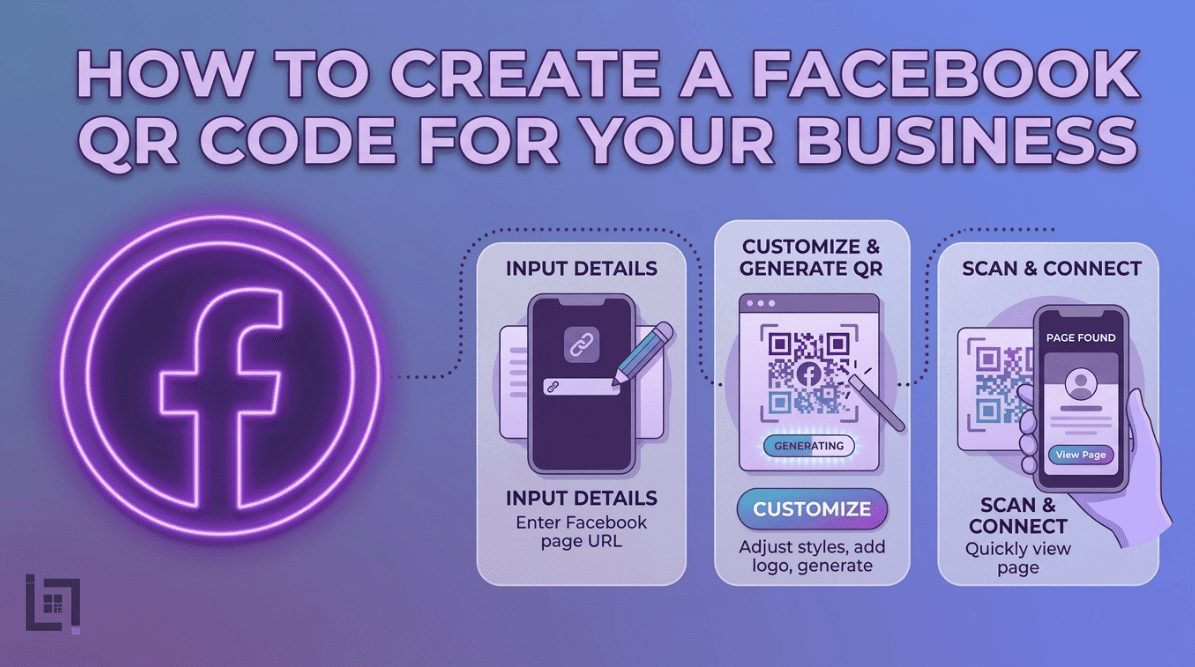
Overview
Create a Facebook QR Code In the vast digital ecosystem of the 21st century, Facebook remains a cornerstone for community building, customer service, and brand awareness. Service-based businesses use Facebook as digital storefronts where clients view recent work, read testimonials, and message you directly. However, the path from “potential customer” to “Facebook follower” is often littered with obstacles.
If you rely on customers to type your business name into the Facebook search bar, you are leaving your growth to chance. They might encounter a competitor with a similar name, mistype your handle, or simply get distracted by other notifications. The solution is a Facebook QR Code. Create a Facebook QR code to provide instant page access, eliminating searches and letting anyone join via one scan.
What Exactly is a Facebook QR Code?
Create a Facebook QR code to link the physical world directly to your business page, posts, or events. Scanning the code triggers an automatic prompt, opening the Facebook application and routing users directly to your business profile. This bypasses app navigation and searches, providing a frictionless entry point that maximizes conversions by capturing short attention spans.
Why Your Business Needs a Facebook QR Code
Before you spend another dollar on traditional marketing, consider why a Facebook QR code is essential for scaling your digital community:
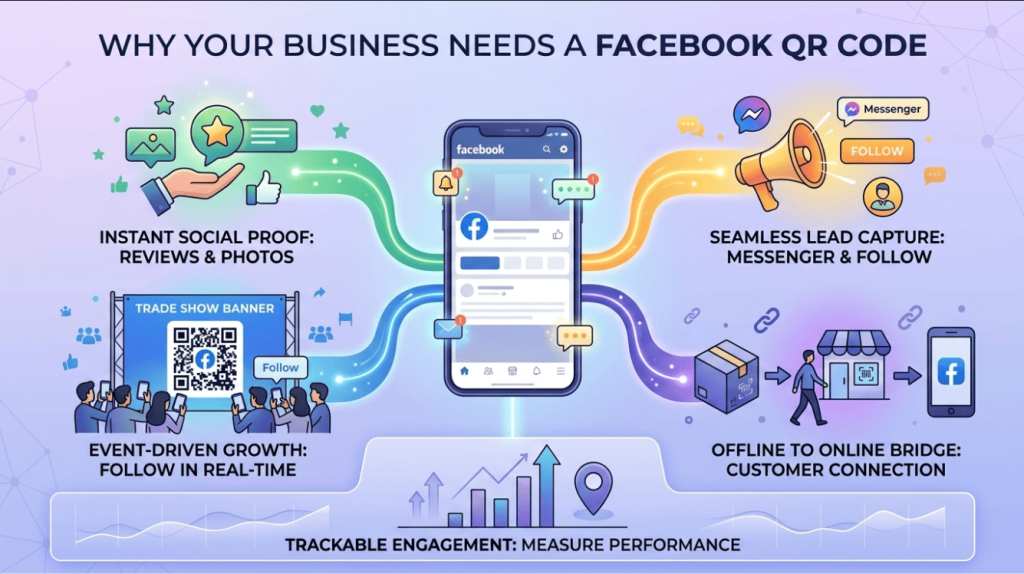
- Instant Social Proof: New customers want to see what others are saying about you. A QR code makes it effortless for them to land on your “Reviews” or “Photos” tab, instantly boosting your credibility.
- Seamless Lead Capture: By directing people to your page, you make it easier for them to engage with your posts, ask questions via Messenger, or follow you for future updates.
- Event-Driven Growth: If you are attending a trade show, local market, or networking event, a QR code on your display banner allows people to “Follow” you in real-time, turning a fleeting meeting into a long-term social connection.
- Cross-Platform Bridge: It allows you to leverage your offline customer base—the people walking through your door or receiving your invoices—to grow your online audience, which then feeds back into your lead generation engine.
- Trackable Engagement: When using a professional QR generator, you can track how many people scanned the code from a specific location, allowing you to see which of your offline marketing channels is actually driving your digital growth.
How to make custom Qr for Facebook: The Custom Link Method
Create a Facebook QR code is an efficient, four-step process that you can manage in seconds:
- Access the QR Generator: Navigate to the “Create QR” section in your Pixerfect dashboard’s main menu.
- Select Content Type: From the content selection menu, click on the Facebook icon. This will open the specialized configuration fields for social media links.
- Enter Details: * Paste your official Facebook Business Page URL into the required field.
- Provide a custom name in the “Name Your QR” field (e.g., “Van-Side-FB-QR” or “Business-Card-FB-QR”). This naming convention is vital for identifying which campaign is driving the most engagement.
- Generate Code: Click the purple Generate QR Code button. Your unique, high-resolution QR code is now generated and ready for your marketing materials.
Where to Place Your Facebook QR Code for Maximum Scans
To turn your physical assets into a social-growing machine, place your Facebook QR codes where your customers naturally look:
- Storefront Windows: If you have a brick-and-mortar location, put a large QR code on your window with the message: “Join our community on Facebook for daily updates.”
- Invoices and Receipts: A QR code on your paper invoice that links to your “Reviews” section makes it remarkably easy for happy customers to leave feedback.
- Business Cards: A simple QR code on the back of your card is much more modern than just writing “Find us on Facebook.” It allows your prospect to follow you instantly while the conversation is still fresh.
- Printed Flyers and Brochures: Whenever you distribute printed marketing, the QR code acts as the digital call-to-action that keeps the conversation going long after the flyer has been put away.
3 Golden Rules for QR Code Success
To ensure your Facebook QR code translates into actual followers and engagement, follow these strict best practices:
- Always Include a Call to Action (CTA): A “naked” QR code invites confusion. Always provide a clear instruction, such as “Scan to see our recent projects” or “Scan to follow us for exclusive offers.”
- Prioritize Design and Size: If the code is too small, your customer’s phone won’t be able to scan it. Use high-contrast designs, preferably black on white, and ensure the QR code is sized appropriately for your surface.
- Test Before You Print: Never skip this step. Test your code on iPhone and Android to ensure it opens the Facebook app, avoiding clunky mobile browser logins.
Ready to Supercharge Your Lead Generation?
Building a Facebook following requires removing every possible barrier to entry, making it effortless for potential fans to join. A Facebook QR code bridges the gap between your physical brand and online community, offering a highly effective tool. However, this is just one piece of the puzzle. Scale your business like top-tier advertisers by tracking every scan and optimizing every digital touchpoint for maximum results.
If you’re looking for more ways to connect with customers using QR codes, check out our detailed guide on How to Create a Wi-Fi QR Code for Your Business. This covers everything for setting up a WI-Fi QR code, letting customers reach you instantly with a single scan.