Overview
In a world dominated by visual storytelling, the ability to share high-quality images instantly is a powerful business advantage to Create an image QR code. Whether displaying menus, brochures, or galleries, restaurants, agents, and technicians often face friction during the critical image hand-off. If you rely on email attachments, cloud links, or physical printouts, you are introducing delay and complexity.
The modern solution is to Create an Image QR Code. Turning visual assets into scannable graphics creates portals, allowing customers high-resolution access on their screens when needed most. This is about providing instant value, reducing printing costs, and creating a tech-forward experience that your competitors are ignoring Create an image QR code.
What Exactly is an Image QR Code?
An image QR code is a dynamic, scannable shortcut that directs a user’s smartphone camera to a hosted digital image or gallery. Instead of forcing a client to navigate a folder structure or download a massive email attachment, a simple scan opens your image directly in their mobile browser. Whether it’s a menu, a promotional flyer, a product diagram, or a portfolio piece, the QR code acts as a direct link to your visual content. This professional, frictionless method puts your branding into customers’ hands, ensuring your message is seen exactly as intended.
Why Your Business Needs an Image QR Code
Before you print another stack of flyers or hand out more physical menus, consider why an image QR code is a superior alternative for modern business:
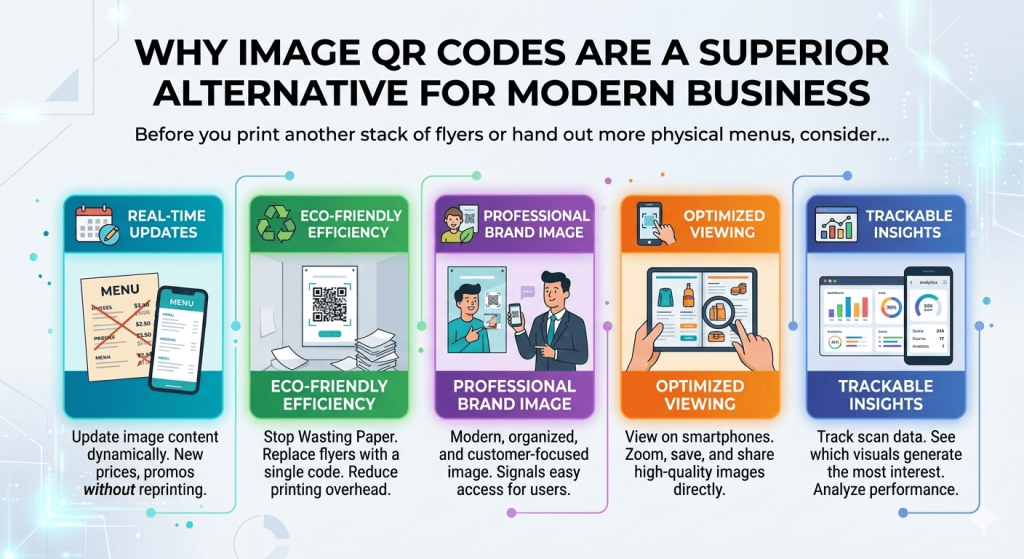
- Real-Time Updates: With a dynamic image QR code, you can update the underlying image file whenever your information changes—like a new menu price or a seasonal promo—without ever needing to reprint your marketing materials.
- Eco-Friendly Efficiency: Stop wasting paper. A single QR code on a wall or a business card can link to an entire gallery of images, brochures, or informational guides, significantly reducing your printing overhead.
- Professional Brand Image: Using technology to deliver content signals that your business is modern, organized, and focused on the customer’s ease of access.
- Optimized Viewing: A digital image on a smartphone screen can be zoomed, saved, and shared by the customer, which is far more useful than a static, one-time-use piece of paper.
- Trackable Insights: When you use professional-grade QR code tools, you can track how many people are scanning your images, allowing you to see which visuals are generating the most interest from your physical audience.
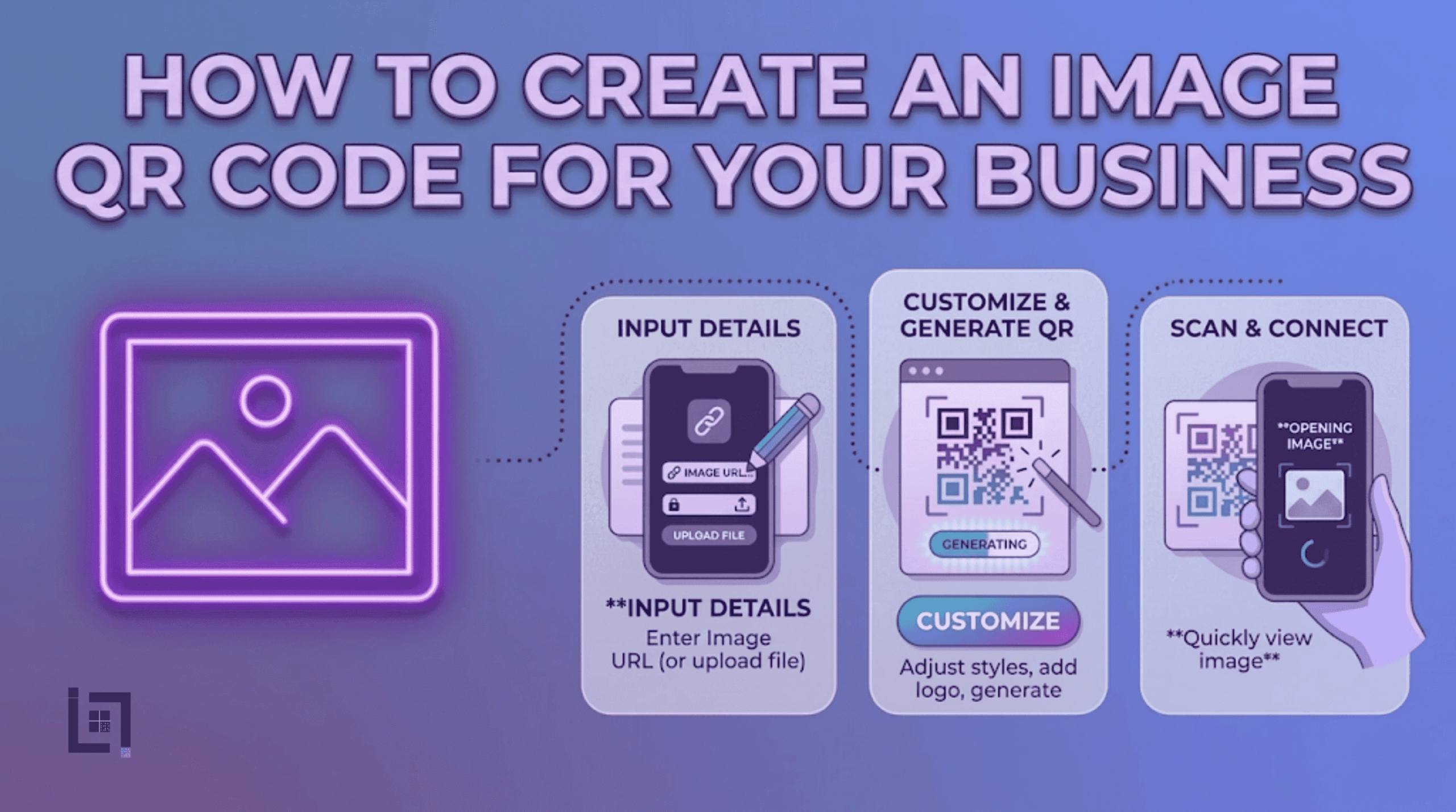
How to make custom Qr for Images: The Custom Link Method
Create an image QR code is a quick, four-step process designed to get your content live and ready for distribution:
- Access the QR Generator: Navigate to the “Create QR” section in your Pixerfect dashboard’s main menu.
- Select Content Type: Click on the Image icon. This will open the file-upload and configuration fields designed for visual asset sharing.
- Enter Details: * Click the upload button to select the image file from your device (e.g., JPG, PNG, or PDF).
- Provide a custom name in the “Name Your QR” field (e.g., “Lunch-Menu-QR” or “Property-Brochure-QR”). This is vital for managing your different visual assets across various marketing campaigns.
- Generate Code: Click the purple Generate QR Code button. Your custom image-linked QR code is now created and ready for use in your designs.
Where to Place Your Image QR Code for Maximum Scans
Placement is where the utility of an image QR code truly shines. Here are the most effective places to deploy them:
- Restaurant or Café Tables: Link to your full menu, including high-resolution photos of your signature dishes.
- Product Packaging: Place the code on your product box to link to a digital user manual or a visual guide that shows how to assemble or use the item.
- Trade Show Displays: Large-format QR codes on your trade show banners can link to a digital portfolio or a gallery of your recent projects, keeping your booth clean while providing deep information to interested leads.
- Real Estate “For Sale” Signs: Place a code on the sign itself so passersby can instantly pull up the full photo gallery of the interior and property details while they are standing on the curb.
3 Golden Rules for QR Code Success
To ensure your image QR code is effective and professional, follow these three rules:
- Always Include a Call to Action (CTA): A code without a label is a mystery. Use a clear CTA like “Scan to view our digital menu” or “Scan to see the full property gallery.” This sets expectations and drives more scans.
- Prioritize File Compression: Even though high resolution is good, large file sizes take time to load. Ensure your images are optimized for web so they load instantly on a 4G/5G mobile connection. If the customer has to wait more than two seconds for the image to load, they will likely give up.
- Test Before You Print: Always perform a “pre-flight” scan. Test the link on iPhone and Android devices to ensure images display properly across various mobile browser environments.
Ready to Supercharge Your Lead Generation?
Sharing information shouldn’t be a hurdle for your customers. Using image QR codes removes friction from manual searches, creating a seamless, visual-first experience that builds trust and authority. But remember, the code is just the beginning. The goal is to build an entire customer journey that is fast, trackable, and optimized for conversions.
If you’re looking for more ways to connect with customers using QR codes, check out our detailed guide on How to Create a WhatsApp QR Code for Business. It covers everything you need to know about setting up a WhatsApp QR Code to let customers reach you instantly with just a scan.