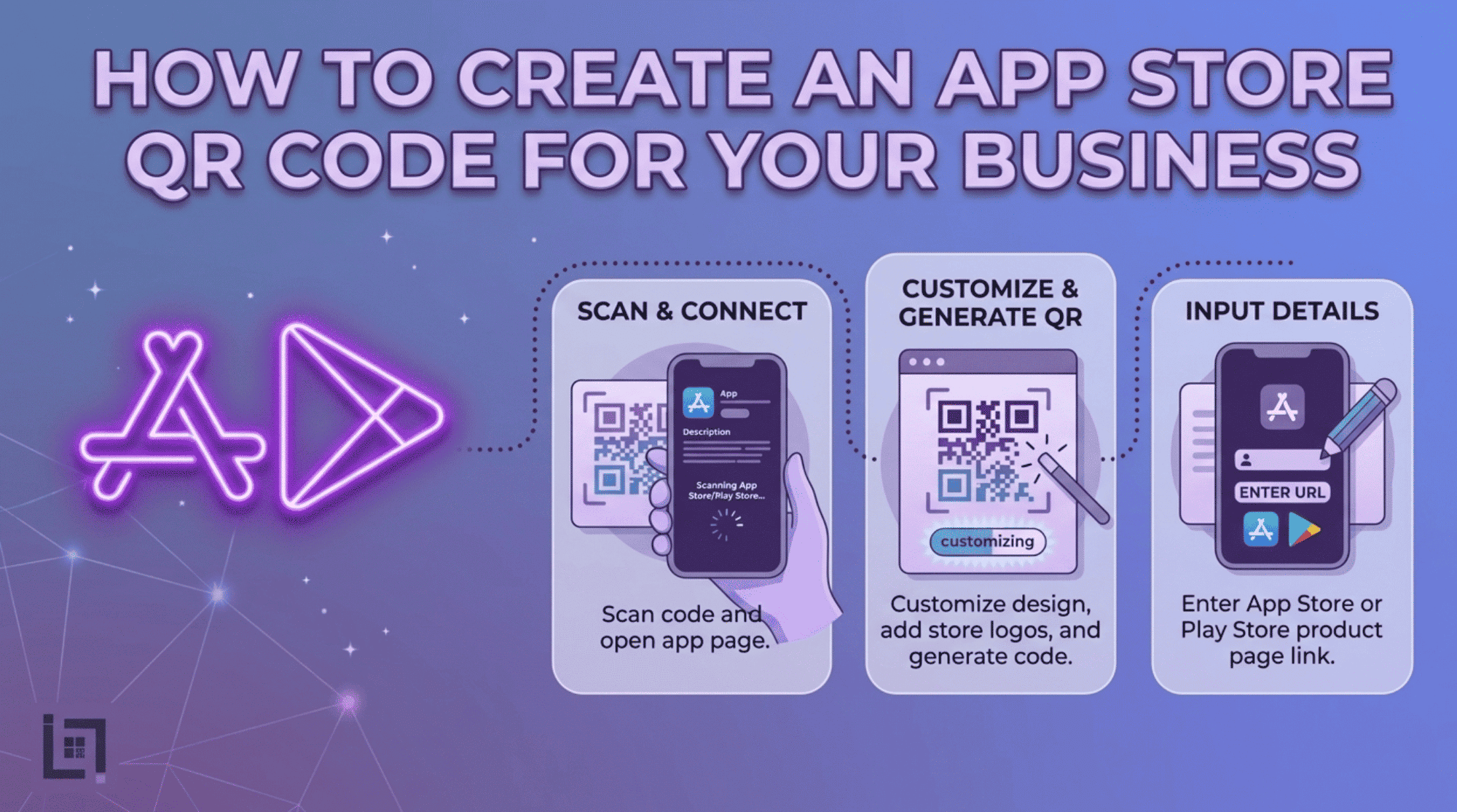
An App Store QR Code helps your customers download your app instantly by scanning a simple code. In this guide, you will learn how to create an App Store QR Code for your business and use it to boost your app downloads effectively.
Overview
In the crowded landscape of mobile applications, visibility is the biggest hurdle. Get your high-quality app into your users’ hands. Friction often prevents users from reaching your app’s download page.
Forcing customers to manually search the App Store or Google Play leads to drop-offs due to boredom or distraction. Consequently, the sheer volume of competing results causes unnecessary confusion. As a result, you lose valuable conversions at the final hurdle. Ultimately, this friction prevents potential users from completing the download process. The solution is an App Store QR Code. Use a direct link that automatically detects the user’s OS to remove adoption barriers. This simple scan transforms your physical marketing into a high-conversion download funnel.
What Exactly is an App Store QR Code?
An App Store QR code is a smart, universal barcode that acts as a gatekeeper to your mobile software. Unlike a standard URL link that might force an iPhone user to a page meant for Android, a professional App Store QR code is intelligent. Specifically, when scanned, it detects the device the user is holding—whether it is an iOS or Android device. Consequently, it automatically directs them to the correct download page for your app.
Our QR code streamlines the user experience for an immediate download. It works perfectly across all devices to ensure an error-free transition.
Why Your Business Needs an App Store QR Code
Before you print your next batch of marketing materials, consider why this technology is a must-have for app-based growth:
- Operating System Intelligence: You no longer need to manage separate QR codes for iPhone and Android users. One code does the work of two, simplifying your design and print costs.
- Elimination of Search Fatigue: Users hate searching through app stores, where they are often bombarded by ads for competing products. A direct link places them on your download page instantly, keeping their focus entirely on your brand.
- Seamless Conversion: By creating a path of least resistance, you drastically increase your conversion rates from physical visitors to active app users.
- Professional Trust: Utilizing smart redirect technology demonstrates that your business is tech-savvy, well-organized, and prioritizes the user experience, which fosters long-term brand loyalty.
How to make custom Qr for App Store: The Custom Link Method
Generating an App Store QR code is a streamlined process designed for efficiency:
- Access the QR Generator: Navigate to the “Create QR” section in the main dashboard menu.
- Select Content Type: From the content selection menu, click on the Play Market / App Store icon. This will load the specialized fields designed for app redirection.
- Enter Details: * Paste your app’s store page link (or your App Store/Play Store URL) into the designated field.
- Provide a custom name in the “Name Your QR” field to keep your campaigns categorized and easy to track.
- Generate Code: Click the purple Generate QR Code button. Your smart, device-detecting QR code will be ready for immediate use.
Where to Place Your App Store QR Code for Maximum Scans
Placement dictates your success. To maximize your download rate, integrate these codes into your existing marketing mix:
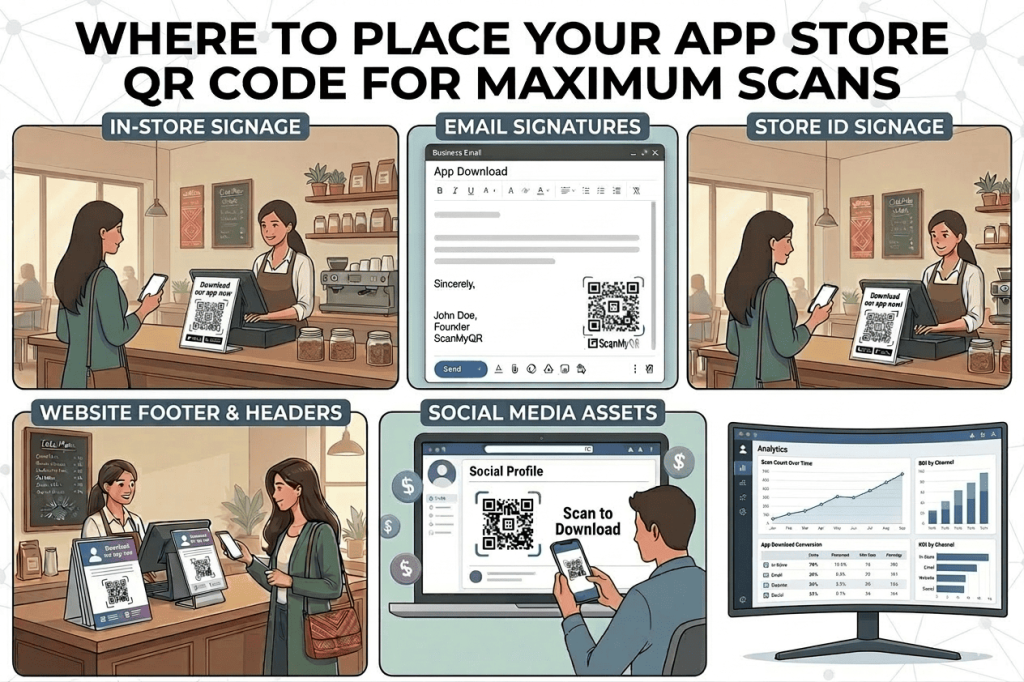
- Website Footer & Headers: Place the code prominently on your website, encouraging desktop visitors to grab the mobile experience.
- Email Signatures: Include the QR code in the footer of your outgoing business emails to ensure every recipient has access to your mobile tools.
- In-Store or On-Site Signage: If you operate a physical location, a QR code on the front desk or checkout counter allows customers to download your app while they wait or complete a purchase.
- Social Media Assets: While people are browsing on a computer, they can scan your code with their phone to download your app, bridging the gap between desktop discovery and mobile usage.
3 Golden Rules for QR Code Success
- Always Include a Call to Action (CTA): A code without context is easily ignored. Pair your QR code with a compelling reason to scan, such as: Download our app to get 10% off your first order! or Get instant notifications by downloading our app.
- Prioritize Design and Size: An App Store QR code needs to be large enough to be captured by a camera from a reasonable distance. Always aim for a minimum of 2cm x 2cm for business cards, and much larger for posters or banners.
- Verify Your Links: Always perform a pre-flight test. Finally, scan the generated code with both an iPhone and an Android phone to ensure that the device detection is working. In doing so, you can confirm that both versions of your app download page are loading correctly.
Ready to Supercharge Your Lead Generation?
Building an app is only half the battle; getting people to use it is the true challenge. By utilizing smart QR technology, you remove the friction that causes potential users to drop off. Stop settling for a passive app promotion strategy and start actively driving downloads through every physical and digital touchpoint you own.
If you’re looking for more ways to connect with customers using QR codes, check out our detailed guide on How to Create a WhatsApp QR Code for Business. It covers everything you need to know about setting up a WhatsApp QR Code to let customers reach you instantly with just a scan.