Overview
In today’s hyper connected world, seamless internet access is no longer a luxury; it is a fundamental expectation for every business. Whether you run a bustling coffee shop, a professional dental office, a boutique hotel, or a corporate workspace, your customers and clients arrive with their phones and laptops, ready to get online.
The problem is that the traditional method of sharing Wi Fi handing out a slip of paper or verbalizing a long, complex, case-sensitive password is fraught with inefficiency. It creates “digital friction” that frustrates guests and ties up your staff. If a customer struggles to connect to your network, they walk away with a negative impression of your business.
The solution is a Wi-Fi QR Code. By digitizing your network access, you allow guests to join your network in a single, error-free scan, instantly elevating your customer experience from “troublesome” to “tech-forward.”
What Exactly is a Wi-Fi QR Code?
A Wi-Fi QR code is a secure, encrypted barcode that contains all the necessary credentials for your network: the Service Set Identifier (SSID), the Wi-Fi password, and the network encryption type (such as WPA or WPA2). When a guest scans this code with their smartphone camera, the device automatically pulls these details and prompts the user to join the network. It completely bypasses the need to manually search for the network name in the settings menu, select it, and type in a complicated string of characters. It is the ultimate digital handshake clean, professional, and entirely frictionless.
Why Your Business Needs a Wi-Fi QR Code
Before you let another guest struggle with your Wi-Fi password, consider why this tool is essential for modern business operations:
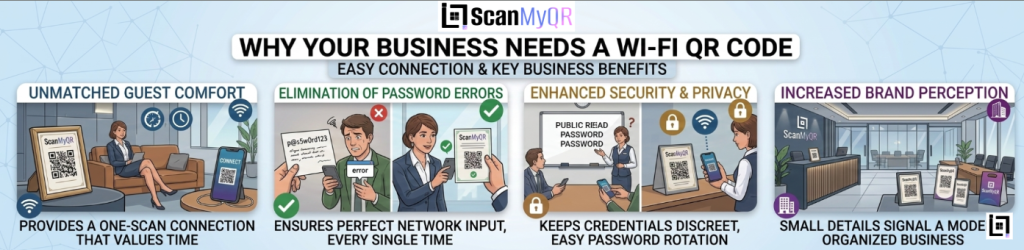
● Unmatched Guest Comfort: Your customers appreciate a business that values their time. Providing a one-scan connection demonstrates that you understand the modern professional’s needs.
● Elimination of Password Errors: No more confused guests typing “password123” instead of “P@ssw0rd123.” A QR code ensures the input is perfect every time.
● Enhanced Security and Privacy: Instead of staff shouting passwords across a room or leaving them written on a public whiteboard, a QR code keeps your network credentials discreet. It also makes it easier to change your password regularly without needing to update physical signs manually.
● Increased Brand Perception: Small details matter. A sleek, branded QR code signals that your business is modern, organized, and focused on providing a high-quality environment for your patrons.
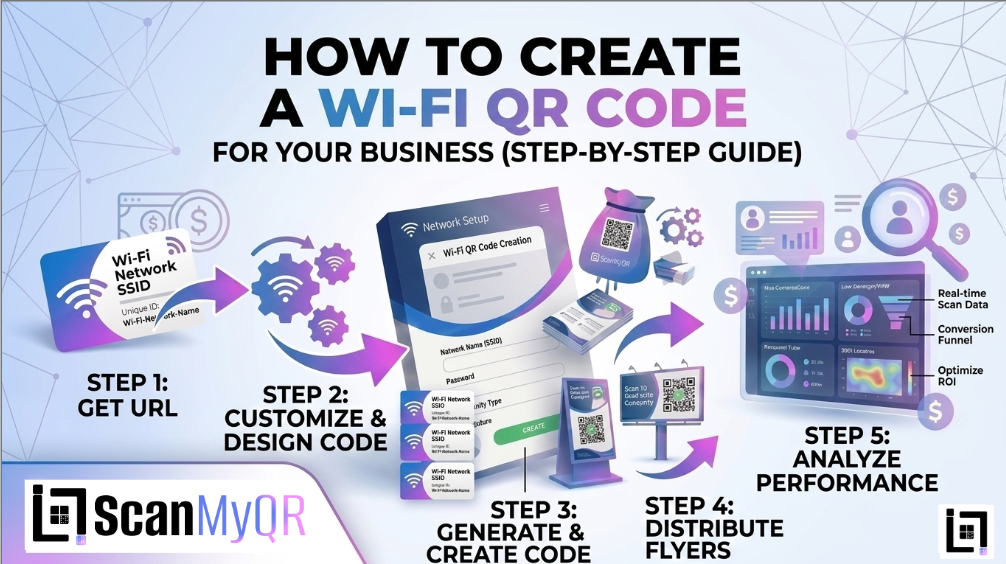
How to make custom Qr for Wi-Fi: The Custom Link Method
Generating a secure Wi-Fi QR code is a straightforward process designed to secure your network while maximizing guest convenience:
- Access the QR Generator: Navigate to the “Create QR” section in the main menu of your dashboard.
- Select Content Type: Click on the Wi-Fi icon. This will open the configuration fields specific to network settings.
- Enter Details: * Input your Network Name (SSID) exactly as it appears on your router.
○ Enter your current Wi-Fi Password.
○ Select your network’s encryption type (usually WPA/WPA2).
○ Provide a custom name in the “Name Your QR” field so you can easily manage the code within your dashboard. - Generate Code: Click the purple Generate QR Code button. Your secure access code will be generated instantly.
Where to Place Your Wi-Fi QR Code for Maximum Scans
To get the most utility out of your Wi-Fi QR code, strategic placement is key. Here are the most effective locations:
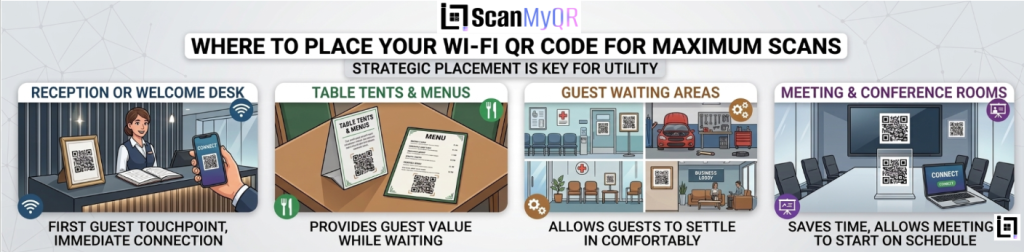
- The Reception or Welcome Desk: This is the first place a guest looks. A small, framed QR code on your front desk invites them to get connected the moment they arrive.
- Table Tents and Menus: In hospitality settings, place the code on small table tents or at the bottom of your physical menus. It provides value to the guest while they are waiting for service.
- Guest Waiting Areas: Whether it’s a lobby, a doctor’s waiting room, or a car service center, placing a QR code at eye level in the seating area allows guests to settle in comfortably.
- Meeting and Conference Rooms: In a corporate setting, having a QR code clearly displayed in meeting spaces saves presenters and visitors time, allowing meetings to start on schedule without technical delays.
3 Golden Rules for QR Code Success
To ensure your network access remains secure and user-friendly, follow these best practices:
- Use a Call to Action (CTA): Even for Wi-Fi, context is helpful. Include a small label like “Scan to join our Guest Wi-Fi” or “Need to get online? Scan here.”
- Prioritize Network Security: Always ensure that your QR code is routing guests to a Guest Network that is separate from your internal, sensitive business files. This allows you to provide internet access without compromising your data.
- Keep Your Credentials Updated: If you change your Wi-Fi password for security reasons, remember to generate a new QR code immediately. A code that leads to a “wrong password” error is just as frustrating as having no Wi-Fi at all.
Ready to Supercharge Your Lead Generation?
Providing excellent Wi-Fi is just the beginning of the “frictionaless” customer journey. By removing the small, everyday hurdles your customers face, you build massive amounts of goodwill and trust. But don’t stop at Wi-Fi; your digital entry points should be optimized across every single interaction, from the first contact to the final sale. If you’re ready to see how dynamic QR technology can de-bottleneck your entire customer experience, let’s take a deeper look at your business operations.
Leave a Reply