Overview
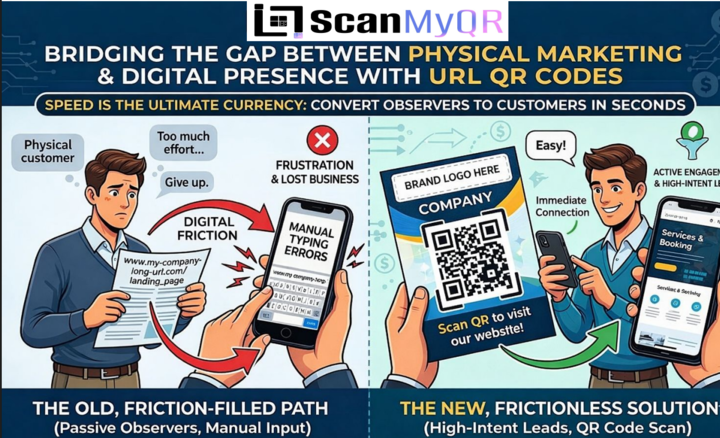
In today’s hyper-connected world, speed is the ultimate currency. If a potential client spots your company van, reads your flyer, or visits your website, you have a tiny window of time to capture their interest. The problem is that the physical and digital worlds often feel disconnected. If a customer has to manually type in a long, complex website address into their mobile browser, you have created a massive amount of “digital friction.” In business, friction costs you money. When a customer is forced to work for information, they often simply give up, walk away, or move on to a competitor who makes the process easier. The solution is a URL QR Code a simple, powerful tool that bridges the gap between your physical marketing materials and your digital presence, turning passive observers into active, high-intent leads.
What Exactly is a URL QR Code?
A URL (Uniform Resource Locator) QR code is a unique, scannable barcode that directs a user’s smartphone camera instantly to a specific website address. It bypasses the need for the user to manually enter your domain into their browser. Think of it as a digital portal; it takes a customer from the physical world looking at a brochure, a business card, or a storefront window and places them directly onto your digital home turf. It is a highly efficient way to condense complex information into a single, scan-ready image, ensuring that your audience gets to the content you want them to see with zero effort on their part.
Why Your Business Needs a URL QR Code
Before we dive into the logistics, let’s look at why this simple tool is an absolute game-changer for businesses across every industry:
● Zero Typos, Zero Lost Leads: Humans are prone to making mistakes. A single wrong character in a URL leads to a “404 Not Found” error, which usually results in the customer leaving your site immediately. A QR code guarantees 100% accuracy every single time.
● Instant Gratification: Customers value their time. Giving them a QR code that loads your site in under a second caters to their desire for convenience and immediate results.
● Enhanced Tracking: By using professional-grade dynamic QR codes, you can track exactly where, when, and how many times your codes are scanned,
allowing you to measure the ROI of your physical advertising.
● Bridging Offline and Online: It turns your static marketing assets like posters, flyers, and direct mail into interactive, lead-generating engines that can be updated in real-time.
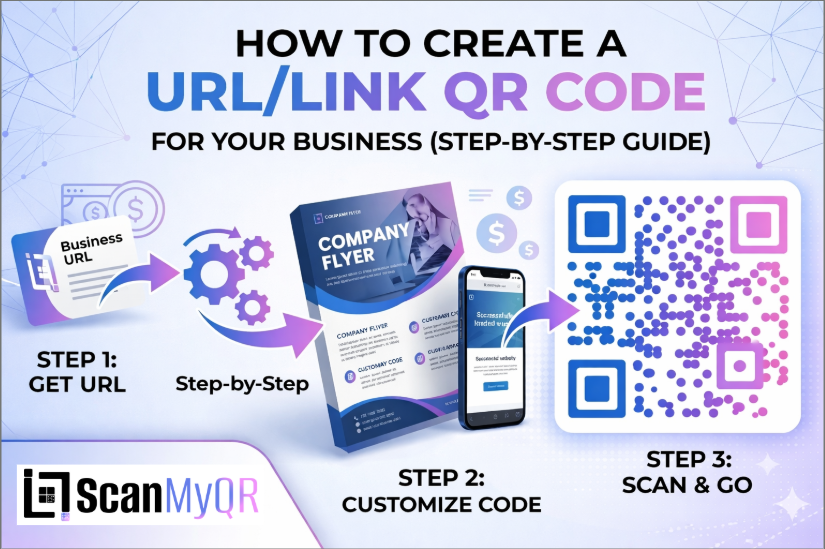
How to make custom Qr for URL: The Custom Link Method
Generating a custom URL QR code is a simple, three-step process designed to get you live in seconds:
- Access the QR Generator: Navigate to the “Create QR” section in your dashboard’s top menu.
- Select Content Type: From the content selection menu, click on the URL/Link icon to load the configuration fields.
- Enter Details: * Provide the full website URL (including the https://) in the required field.
○ Optionally, provide a custom name in the “Name Your QR” field to help you organize your generated codes for different marketing campaigns. - Generate Code: Once you have confirmed your details, click the purple Generate QR Code button located at the bottom of the page.
Where to Place Your URL QR Code for Maximum Scans
Creating the code is only half the battle; placement is where the magic happens. Here are the most effective places to put your new QR code:
● On Your Printed Marketing Materials: Use them on brochures, flyers, and direct mail campaigns to take people directly to a landing page where they can request a quote or sign up for a service.
● In-Store or On-Site Signage: If you have a physical location or job site, place a QR code at the entrance or on your equipment to show visitors your online portfolio or service list.
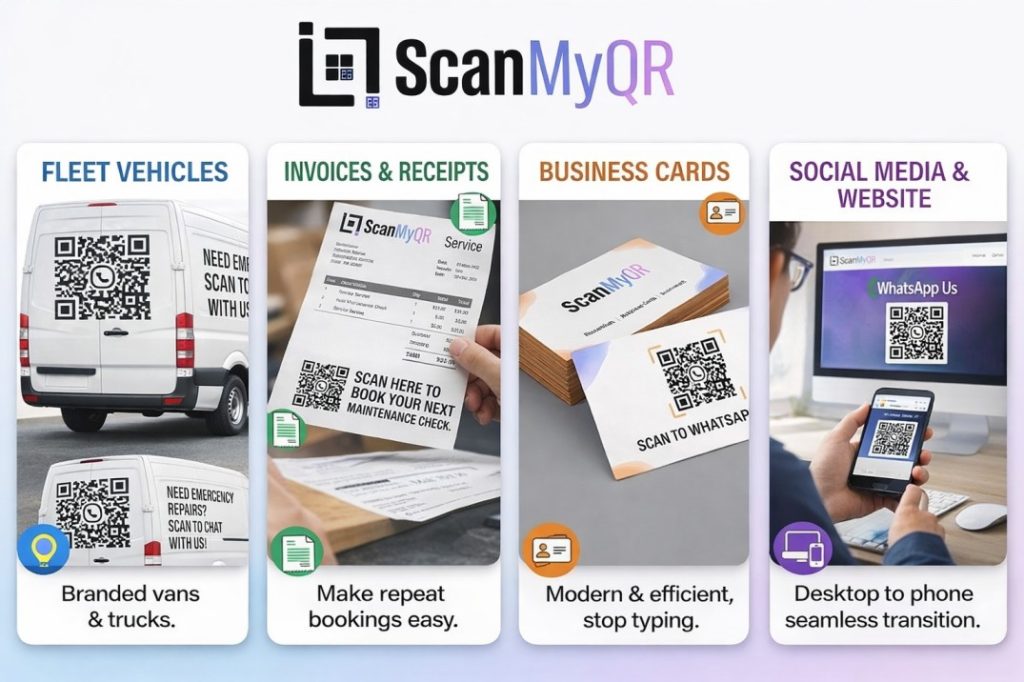
● Business Cards: Stop making people type out your details manually. A simple QR code on the back of your business card that links to your “About Us” or “Contact” page is modern, professional, and efficient.
● Trade Show Displays: If you are participating in an industry event, place large-format QR codes on your banners to allow attendees to save your information instantly.
3 Golden Rules for QR Code Success
To ensure your code actually converts, follow these strict best practices:
- Always Include a Call to Action (CTA): A naked QR code is confusing. Always tell the user why they should scan it (e.g., “Scan to view our latest portfolio” or “Scan to get a free quote”).
- Size it Right: A QR code on a business card should be at least 2cm x 2cm. If it’s on a billboard or a shop sign, it needs to be much larger. If a phone camera cannot focus on it, it is useless.
- Test Before You Print: Never send a QR code to the printers without testing it on both an iPhone and an Android device first. If the link doesn’t open perfectly, you have wasted your printing budget.
Ready to Supercharge Your Lead Generation?
Creating a basic URL QR code is a great first step toward modernizing your business. But if you want to treat your physical marketing with the same precision as your digital ads, you need trackable, dynamic tools. Stop guessing how many leads your physical signs are generating. Take control of your customer journey
Leave a Reply